
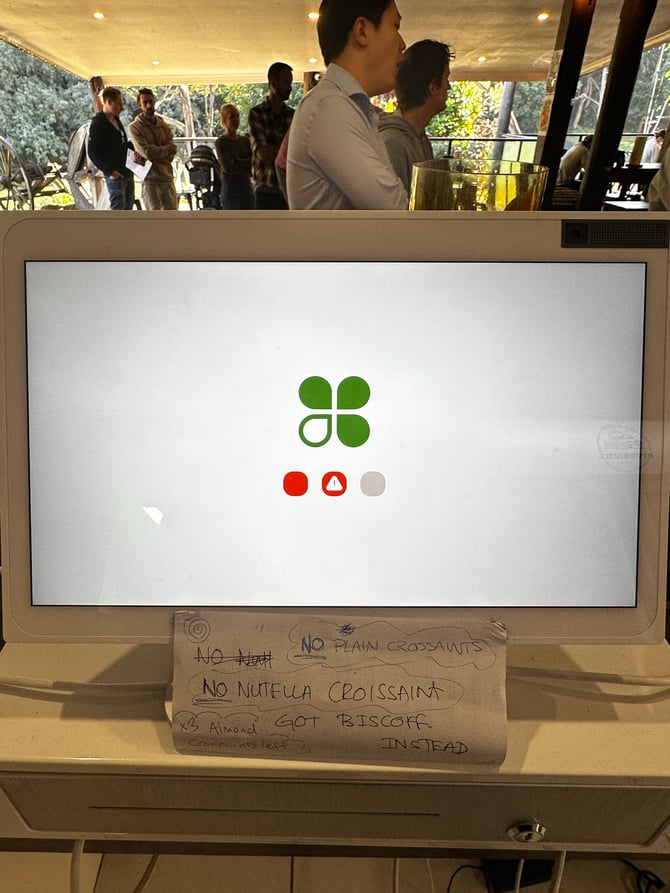
What you need to do
The Clover power supply needs to be unplugged for 30 seconds, then plugged back in securely.
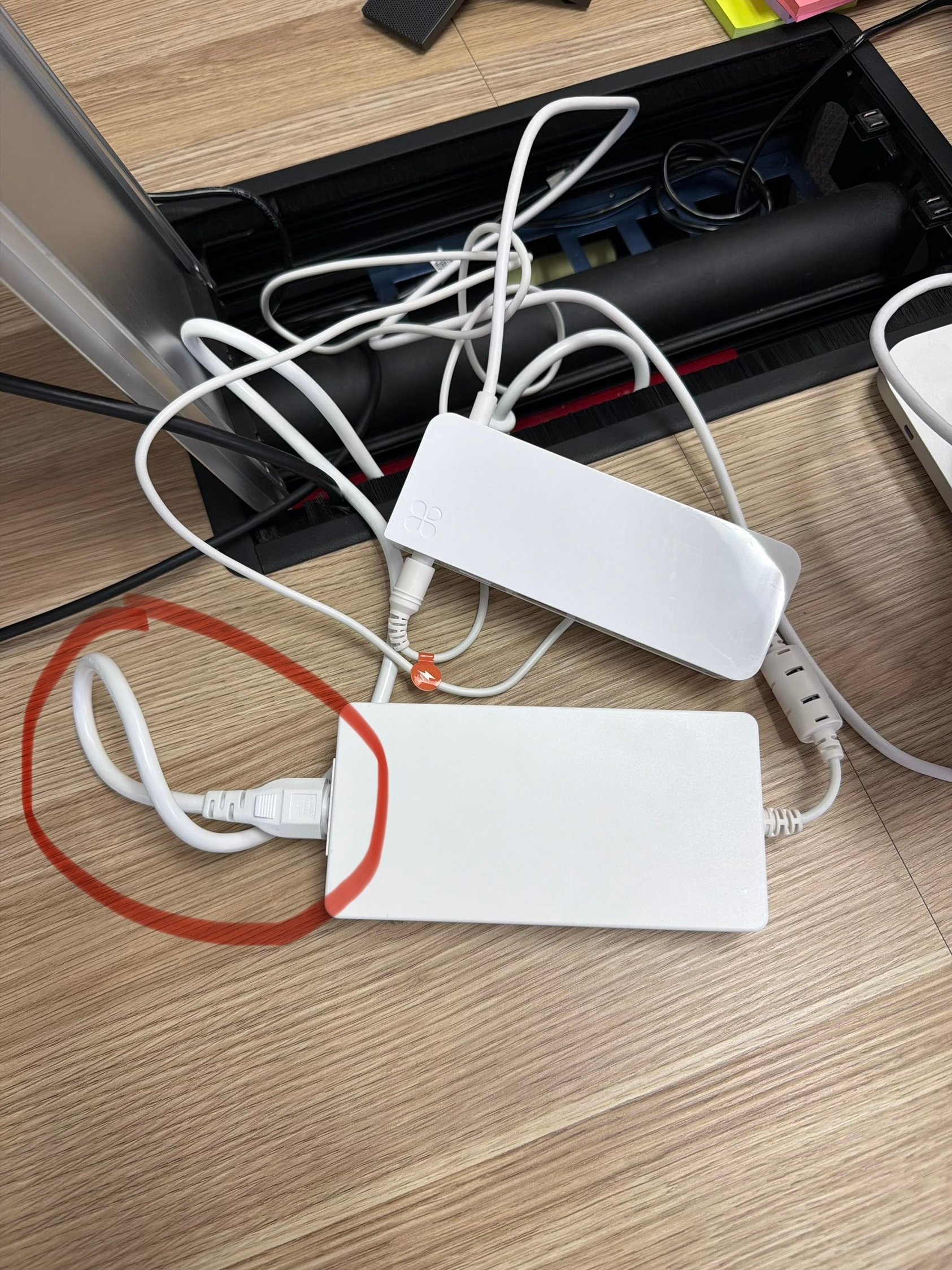
The cable to unplug is the white power cable connected to the larger white power adapter/power brick. In the reference photo, this is the cable circled in red.
Steps to resolve
1. Locate the Clover power adapter
Under or behind the counter, find the Clover power setup.
You should see:
- A white rectangular Clover power adapter/power brick
- A white mains power cable plugged into it
- Other Clover cables connected nearby
Do not unplug random cables from the Clover screen or printer unless instructed.
2. Unplug the power cable
Unplug the white mains power cable from the Clover power adapter/power brick.
Hold the plug itself when removing it. Do not pull from the cable.
3. Wait 30 seconds
Leave the cable unplugged for at least 30 seconds.
This allows the Clover power supply to fully reset.
4. Plug the cable back in securely
Reconnect the white power cable firmly into the power adapter.
Make sure:
- The plug is pushed in all the way
- The power adapter cable is not loose
- The wall socket or power board is switched on
- No cables are damaged or bent sharply
5. Wait for the Clover Station Duo to restart
The Clover Station Duo should begin powering back on.
Allow a few minutes for the POS to fully restart. The Clover logo may appear during startup.
If the issue continues
If the Clover Station Duo still shows the red warning/error screen after the power reset:
- Check that all Clover cables are firmly connected.
- Confirm the power socket is working by testing another device if safe to do so.
- Try a different power outlet if available.
- Restart the Clover Station Duo again using the same 30-second power reset method.
- Contact the Help Desk if the issue is still not resolved.
Clover Help Desk:
1800-999-592